Introduction
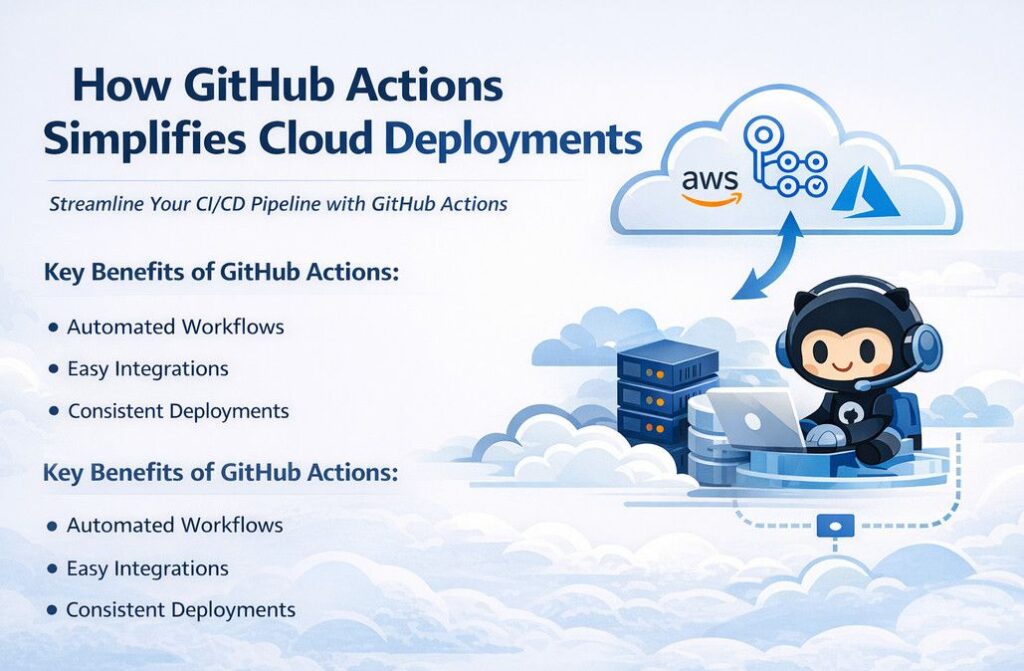
Modern cloud environments demand speed, reliability, and automation. Manual deployments are slow, error prone, and difficult to scale across environments. This is where CI/CD pipelines play a critical role. Among the available automation tools, GitHub Actions stands out as a powerful, developer friendly solution. In this blog, we will explore how GitHub Actions simplifies cloud deployments by enabling automated workflows, improving consistency, and accelerating delivery across cloud platforms.
What Is GitHub Actions?
GitHub Actions is a native CI/CD and automation platform built directly into GitHub. It allows developers and DevOps teams to automate workflows such as building code, running tests, and deploying applications whenever specific events occur, like a code push or pull request.
With GitHub Actions, you can define workflows using simple YAML files stored in your repository, making automation version controlled, reusable, and easy to maintain.
How GitHub Actions Simplifies Cloud Deployments
1. Native Integration with GitHub Repositories
One of the biggest advantages of GitHub Actions is its seamless integration with GitHub repositories. There is no need to rely on third party CI/CD tools or complex integrations. This tight coupling is a key reason how GitHub Actions simplifies cloud deployments, as everything from source code to deployment pipelines lives in one place.
2. Event Driven Deployment Automation
GitHub Actions supports event driven workflows. You can automatically trigger cloud deployments when:
- Code is pushed to a branch
- A pull request is merged
- A release is created
This ensures faster and more consistent deployments, eliminating manual intervention and reducing deployment risks.
3. Easy Multi Cloud and Hybrid Support
GitHub Actions works seamlessly with major cloud providers such as AWS, Azure, and Google Cloud. Using official and community supported actions, teams can authenticate securely and deploy applications to any cloud environment.
This flexibility clearly demonstrates how GitHub Actions simplifies cloud deployments across multi cloud and hybrid architectures without changing the CI/CD toolchain.
4. Reusable and Scalable Workflows
GitHub Actions supports reusable workflows and composite actions. This allows teams to standardize deployment processes across multiple projects and environments. Once defined, the same workflow can be reused for staging, testing, and production deployments.
As applications grow, this reusability plays a major role in how GitHub Actions simplifies cloud deployments at scale.
5. Secure Secrets and Environment Management
Security is a critical concern in cloud deployments. GitHub Actions provides encrypted secrets and environment level protections to securely manage credentials, API keys, and tokens.
This built in security model reduces configuration complexity and highlights how GitHub Actions simplifies cloud deployments while maintaining strong security best practices.
6. Cost Effective CI/CD Solution
For many projects, GitHub Actions offers generous free usage, especially for public repositories. Even for private repositories, pricing is competitive compared to traditional CI/CD tools.
By reducing infrastructure and tooling costs, teams further experience how GitHub Actions simplifies cloud deployments without increasing operational expenses.
Common Use Cases for Cloud Deployments
- Deploying containerized applications using Docker
- Infrastructure provisioning with Terraform or ARM templates
- Serverless deployments using AWS Lambda or Azure Functions
- Continuous delivery for web and API applications
Best Practices for Using GitHub Actions in Cloud Deployments
- Use separate workflows for build and deployment stages
- Protect production environments with approvals
- Store secrets securely using GitHub Secrets
- Use caching to speed up builds
- Monitor workflow logs for continuous improvement
Example GitHub Actions Workflow for Cloud Deployment
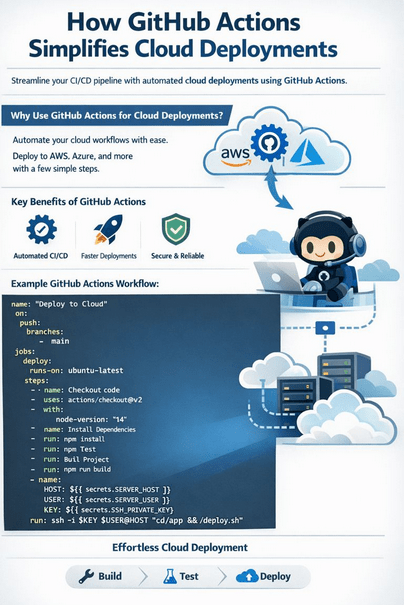
Below is a simple example of a GitHub Actions workflow that builds and deploys a Node.js application to a cloud server whenever code is pushed to the main branch.
name: CI/CD Cloud Deployment

on:
  push:
    branches:
      - main

jobs:
  build-and-deploy:
    runs-on: ubuntu-latest

    steps:
      - name: Checkout source code
        uses: actions/checkout@v4

      - name: Set up Node.js
        uses: actions/setup-node@v4
        with:
          node-version: '18'

      - name: Install dependencies
        run: npm install

      - name: Run tests
        run: npm test

      - name: Build application
        run: npm run build

      - name: Deploy to cloud server
        env:
          SSH_HOST: ${{ secrets.SSH_HOST }}
          SSH_USER: ${{ secrets.SSH_USER }}
          SSH_KEY: ${{ secrets.SSH_KEY }}
        run: |
          echo "$SSH_KEY" > key.pem
          chmod 600 key.pem
          ssh -o StrictHostKeyChecking=no -i key.pem $SSH_USER@$SSH_HOST << 'EOF'
            cd /var/www/app
            git pull origin main
            npm install --production
            pm2 restart app
          EOF
How This Workflow Helps
- Automatically triggers on every push to
main - Ensures consistent builds and testing
- Securely deploys using GitHub Secrets
- Demonstrates how GitHub Actions simplifies cloud deployments with minimal configuration
Conclusion
Automation is no longer optional in modern cloud environments. From seamless GitHub integration to secure, scalable, and event driven workflows, it’s clear how GitHub Actions simplifies cloud deployments for teams of all sizes. By adopting GitHub Actions, organizations can accelerate releases, reduce errors, and build reliable cloud native CI/CD pipelines with confidence.
If you’re looking to streamline your cloud deployment strategy, GitHub Actions is a powerful place to start.
Check out our detailed blog on Terraform vs Bicep vs ARM Templates.
What’s Next?
We’re here to support you! Should you have any questions or need assistance, don’t hesitate to get in touch with us. Contact us at info@uranuscloudsolutions.com and we’ll be happy to help. Your satisfaction is our priority!.